
Secure link sharing means controlling who can open a link after you send it. Encrypting the link on its way to the recipient is the easy part, and HTTPS already handles it. The real risk is that a shared URL works for anyone who receives it, forwards it, or guesses it. The settings that matter are an unguessable link, a password or account check, an expiry date, and a way to revoke access, ideally on a domain and server you control.
TL;DR:
- A shared URL works like a key: anyone who holds it can usually open it. Security comes from limiting who holds it and for how long.
- Six-character short codes are guessable at scale. With 10 million live links, about 1 in every 5,680 random guesses lands on a real one.
- Links leak after you send them, through forwarding, chat previews, email security scanners, browser history, and server logs.
- For sensitive files sent to known people, account-restricted sharing beats a password link. For client and prospect audiences, use a password-protected, expiring short link.
- Click data from your links includes IP addresses, which EU law treats as personal data, so check who stores those logs.
Table of Contents
- Secure Link Sharing Is an Access Problem, Not an Encryption Problem
- The Short Code Problem: Why Six Characters Can Be Guessed
- Five Ways a Shared Link Leaks After You Send It
- Comparing Secure Link Sharing Methods: What Each One Actually Stops
- Passwords, Expiry, and Revocation: Setting Controls That Hold Up
- The Click Data Is Sensitive Too, and Someone Else May Be Holding It
- Free vs. Business Secure File Sharing: Where Free Tools Fall Short
- How To Use Secure Link Sharing: A Five-Minute Checklist
- Own the Links You Share, Including the Lock and the Logs
- Frequently Asked Questions
- Sources
Secure Link Sharing Is an Access Problem, Not an Encryption Problem
Most guides to secure file sharing start with encryption. That is the wrong place to start. Any reputable service already sends your link over HTTPS, so nobody on the coffee-shop Wi-Fi is reading it in transit. Once the link arrives, it becomes a bearer token. Whoever holds the URL gets in, and the URL does not care how they got it.
So the useful question is not "is this link encrypted?" It is "who can open this link today, and who will be able to open it next month?" Every control worth paying for answers some part of that question:
- Unguessable links stop strangers from finding the link by trial and error.
- Passwords or account checks stop people who received a forwarded link.
- Expiry dates stop people who find the link later.
- Revocation stops everyone, the moment you decide.
The OWASP Foundation ranked broken access control as the number one risk in its 2021 Top 10 for web applications, ahead of injection and cryptographic failures. A shared link with no access check is that same failure, carried out deliberately and in bulk.
The Short Code Problem: Why Six Characters Can Be Guessed
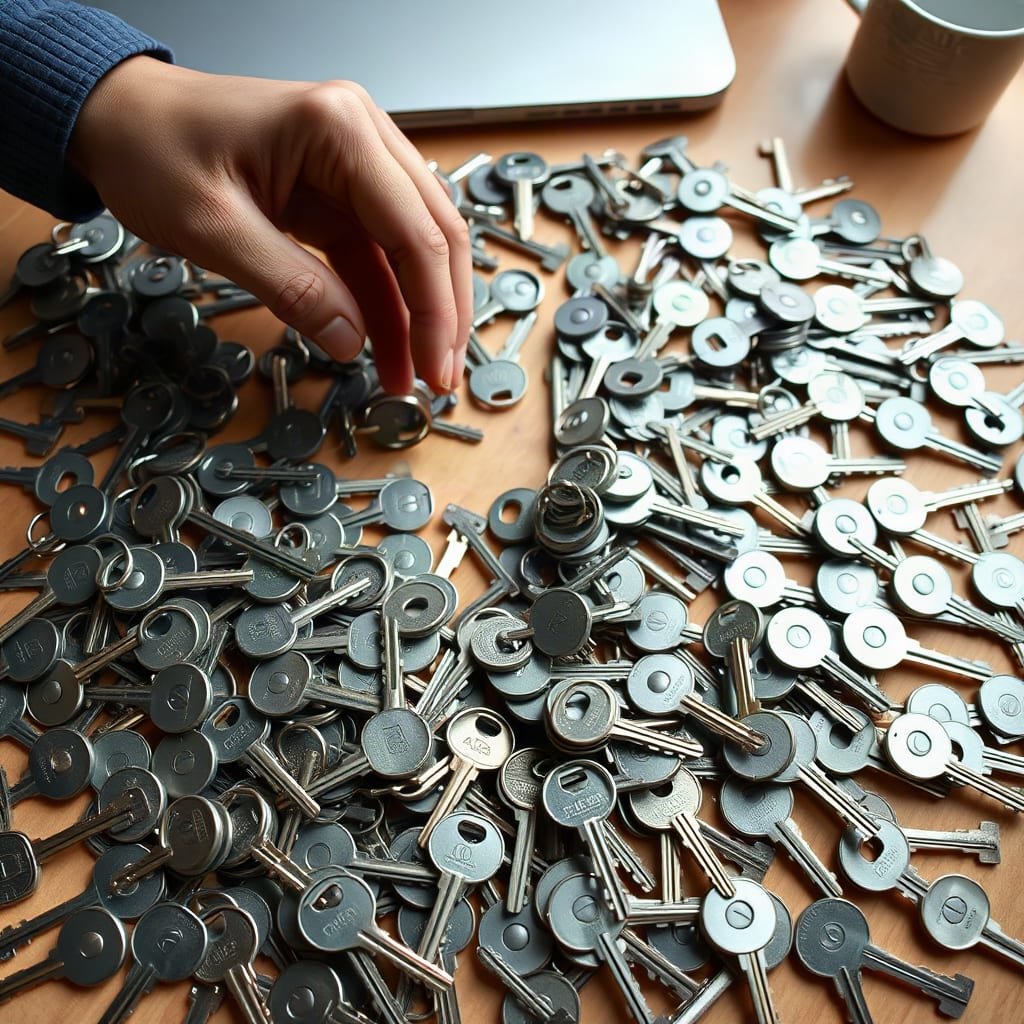
Short links are convenient because they are short. They are risky for the same reason. A code built from letters and digits (62 possible characters) has a fixed number of possible combinations, and a busy shortener fills that space quickly.
| Code length | Possible codes (base62) | Guesses per hit if 10M links are live | Time to first hit at 100 guesses/sec |
|---|---|---|---|
| 5 characters | 916 million | ~92 | Under 1 second |
| 6 characters | 56.8 billion | ~5,680 | ~57 seconds |
| 7 characters | 3.52 trillion | ~352,000 | ~59 minutes |
| 22 characters | ~2.7 × 10³⁹ | Effectively never | Effectively never |
This is not just a thought experiment. In a 2016 study, researchers Martin Georgiev and Vitaly Shmatikov of Cornell Tech scanned short-URL spaces. They found working links to cloud-stored documents, some of which could be edited. They also found map links that revealed directions to and from people's homes. Nobody had shared those links publicly. They were simply reachable by guessing.
With 10 million live six-character links, a script making 100 guesses a second finds a working one roughly every minute.
The fix has three parts. Use longer, random codes for anything sensitive. Never generate codes sequentially. Make sure the shortener rate-limits lookups that hit nonexistent codes. A short, memorable code is fine for a public landing page. It is a liability for a contract draft.

Five Ways a Shared Link Leaks After You Send It
You can pick a strong link and still lose control of it. These are the common paths a link takes once it leaves your hands.
Forwarding
Recipients forward links to colleagues, assistants, and personal email. Forwarding is the single largest source of unintended access, and no link setting can prevent it. A password or account check only limits the damage.
Chat and Social Previews
Messaging apps fetch a URL to build a preview card, which means a server you do not control has opened your link. If your link counts views or expires after one use, the preview fetch may count as that use.
Email Security Scanners
Many corporate email gateways open every link in a sandbox before the recipient sees the message. That is good for the recipient's security and bad for single-use links. The scanner "uses" the link, so the human gets an expired page.
Pro Tip: Do not send one-time-use links to corporate email addresses. Use a short time window instead, such as 72 hours, combined with a password. A scanner can open a password page without getting past it, and the human still gets in when they arrive.
The Referer Header
When someone clicks from your shared page to another site, the browser may tell that site where the visitor came from. The W3C Referrer Policy specification defines how much gets sent. Modern browsers default to strict-origin-when-cross-origin, which trims the path on cross-site requests. However, any page can set a looser policy. Do not put tokens or document IDs in query strings and assume they stay private.
History, Logs, and Bookmarks
Full URLs end up in browser history, proxy logs, analytics tools, and sync services. If the URL itself grants access, every one of those copies is a working key.
Comparing Secure Link Sharing Methods: What Each One Actually Stops
Each method closes a different gap. None of them closes all the gaps.
| Method | Who can open it | Survives forwarding? | Can you revoke it? | Best for |
|---|---|---|---|---|
| Public "anyone with the link" | Anyone holding the URL | Yes | Only by deleting the share | Genuinely public material |
| Plain short link | Anyone with the code, or who guesses it | Yes | Yes, if you control the shortener | Marketing pages, public resources |
| Password-protected short link | Anyone with the link and the password | Only if the password is forwarded too | Yes: change the password or disable the link | Client previews, gated decks, group access |
| Expiring link | Anyone, until the deadline | Yes, until it expires | Automatically | Time-bound offers, temporary access |
| Account-restricted share | Named, signed-in people only | No | Yes, person by person | Contracts, HR files, financials |
| End-to-end encrypted transfer | Holders of the link and the key | Depends on key handling | Usually | Regulated or highly sensitive data |
Here is where I land. If you are sending a sensitive file to a few people you can name, use account-restricted sharing in your storage tool and skip the link tricks. If you are sharing with an audience you cannot pre-register, such as prospects, clients' clients, or event attendees, use a password-protected short link with an expiry date, on a domain you own.
There is one caveat the comparison pages skip. A password on a short link guards the redirect, not the destination. If the file behind it sits at a public "anyone with the link" URL, anyone who sees that destination URL can bypass your password entirely. Lock both layers. Our breakdown of what a password-protected URL shortener really guards walks through this in detail.
Passwords, Expiry, and Revocation: Setting Controls That Hold Up

Controls only work if they are configured like you mean it. Here is how to set each one.
- Passwords that resist guessing. A link password faces online guessing, not just a casual stranger. NIST SP 800-63B advises against forced complexity rules and periodic resets. It favors longer passphrases checked against lists of breached passwords, and it requires verifiers to rate-limit failed attempts. Apply the same logic to link passwords: three or four random words beat "Q3report!".
- A separate channel for the password. If the link and the password travel in the same email, a forwarded email forwards both. Send the password by text, chat, or phone.
- Expiry that matches the job. A proposal needs about two weeks. A press embargo needs until the embargo lifts. A default of "never" is how three-year-old links to old pricing keep circulating.
- Revocation you can actually reach. Revoking a link should take one action. Ideally, you should be able to point the same short link at a "this has moved" page rather than letting it go dead.
If you are adding protection to links you already shared, our guide to protecting a URL with a password covers the retrofit without breaking printed QR codes.
The Click Data Is Sensitive Too, and Someone Else May Be Holding It

Secure link sharing is usually framed as protecting what is behind the link. The clicks themselves are data worth protecting. Every visit to a tracked link logs an IP address, a rough location, a device, and a timestamp. Under the EU's General Data Protection Regulation, Recital 30 names IP addresses as online identifiers that can identify a person.
When you use a hosted shortener, those logs live on the provider's servers, under the provider's retention policy. For a marketing team, that is a compliance question. For a business sharing deal documents, it shows who at the target company opened the file and when, which is commercially sensitive.
Hosted links carry a second risk: link rot. If your short links run on a provider's domain or infrastructure and you stop paying, links printed on packaging, slides, and QR codes can stop resolving. A link that no longer works is not a security breach. But a lapsed custom domain that someone else later registers can be one. Link click tracking you host yourself solves both problems: the data stays with you, and the links outlive any subscription.
Free vs. Business Secure File Sharing: Where Free Tools Fall Short
Free secure file sharing tools are fine for one-off, low-stakes transfers. They tend to fall short in four places that matter for business use:
- No audit trail. Free tiers often show a download count without saying who downloaded the file or from where.
- Fixed or missing expiry. Some free transfers expire after a set number of days whether you want them to or not. Others never expire at all.
- No password on the link. Free plans often reserve password protection for paid tiers.
- Someone else's domain. Recipients see a generic domain, which is exactly what phishers imitate. A branded domain is a trust signal, and it is one you control.
For a business, the deciding question is not "free or paid." It is "when this goes wrong, can I see who opened it and shut it off?" If the answer is no, the tool is not secure enough for anything you would mind seeing forwarded.
How To Use Secure Link Sharing: A Five-Minute Checklist
Run this checklist before you send anything you would not post publicly:
- Lock the destination first. Set the file's own sharing to restricted or password-protected, not "anyone with the link."
- Generate a random code. Use at least 8 random characters for sensitive links, never a readable slug like
/acme-contract. - Add a password and send it separately. Use a passphrase, delivered through a different channel than the link.
- Set an expiry date. Pick the shortest window that fits the task, and avoid single-use links for corporate inboxes.
- Check who logs the clicks. Know where the click data is stored and how long it is kept.
- Know your kill switch. Before you send, confirm you can disable or redirect the link in one step.
Own the Links You Share, Including the Lock and the Logs
Every risk above gets worse when someone else runs the link layer. Kortli is a self-hosted link shortener you install on your own Linux server for a one-time license fee instead of a monthly subscription. It gives you password-protected links, custom branded domains with no per-domain charge, and click analytics with geographic data stored on your server, not ours. Your links keep working whether or not you ever pay us again, and you can redirect or disable any of them yourself.
The honest limit is that self-hosting makes you the operator. TLS certificates, backups, OS patches, and rate limiting at your firewall are your responsibility. If your server goes down, your links go down with it. Kortli's password protection also guards the redirect, not the file behind it, so lock the destination too. Check the current license price and server requirements on the site before you buy, and if you are still comparing tools, see how to pick a URL shortener you'll still control in five years.
Frequently Asked Questions
What is secure link sharing?
Secure link sharing is the practice of controlling who can open a shared URL and for how long. It relies on unguessable links, passwords or account checks, expiry dates, and revocation. Encryption in transit is part of it, but HTTPS already handles that on reputable services.
Are short links safe for sharing sensitive files?
Short links can be safe if the code is long and random and the shortener rate-limits failed lookups. Six-character codes are guessable at scale, and a 2016 Cornell Tech study found private documents by scanning short-URL spaces. For sensitive files, add a password and lock the destination file as well.
Is a password-protected link enough to secure a file?
Not on its own. A password on a short link protects the redirect, so if the file behind it is publicly shared, anyone who sees the destination URL can skip the password. Restrict the file's own sharing settings too, and send the password through a separate channel.
Why do one-time links sometimes expire before the recipient opens them?
Many corporate email security gateways and chat apps open links automatically to scan them or build previews. That automated visit can use up a single-use link before the person ever clicks. A short time-based expiry combined with a password avoids the problem.
Is free secure file sharing good enough for a business?
Free tools work for low-stakes, one-off transfers. They usually lack audit trails, flexible expiry, link passwords, and branded domains. If you cannot see who opened a file and revoke access quickly, the tool is not suitable for business-sensitive material.
Sources
- A01:2021 – Broken Access Control | OWASP Foundation
- Gone in Six Characters: Short URLs Considered Harmful for Cloud Services | arXiv (Georgiev & Shmatikov, Cornell Tech)
- Referrer Policy | W3C
- NIST Special Publication 800-63B: Digital Identity Guidelines, Authentication and Lifecycle Management | National Institute of Standards and Technology
- Regulation (EU) 2016/679 (General Data Protection Regulation) | EUR-Lex, Publications Office of the European Union
Leave a Reply