

A Bitly competitor isn't defined by a longer feature list — it's defined by who holds the keys to your links. Most hosted alternatives still run your redirects on their own servers, so switching just trades one subscription for another, and your links can stop working the day you cancel either one. The distinction that actually matters is hosted versus self-hosted: renting a shortener versus owning one outright on a server you control.
TL;DR:
- The real split among Bitly competitors isn't features, it's billing model: hosted (recurring subscription, vendor controls redirects) versus self-hosted (one-time cost, you control redirects).
- Canceling a hosted shortener — Bitly or any competitor — can break every printed, embedded, or bookmarked short link overnight.
- Check whether a shortener uses true 301 permanent redirects, as defined by IETF RFC 7231, not 302 temporary ones that can hurt SEO signal transfer.
- Custom domains, password protection, QR styling, and A/B testing are often locked behind Bitly's higher tiers but come standard with most self-hosted tools.
- Self-hosting trades a monthly bill for a one-time setup and the responsibility of running your own server — worth it if you have basic Linux comfort.
Table of Contents
- What Actually Separates a Bitly Competitor From a Clone
- The Real Cost of Staying With Bitly
- Six Things to Check Before You Switch
- Self-Hosted vs. Hosted: Which Bitly Competitor Model Actually Fits You
- Migration Mechanics: Keeping Old Links Alive
- QR Codes, Passwords, and Split Testing: Features Often Gated Behind Higher Tiers
- Own Your Links Without the Monthly Bill
- Frequently Asked Questions
- Sources
What Actually Separates a Bitly Competitor From a Clone

Plenty of tools market themselves as a Bitly competitor and then run the exact same business model: a dashboard, a free tier that nags you to upgrade, and a monthly or annual invoice tied to how many links or clicks you generate. Swapping one hosted shortener for another hosted shortener doesn't solve the underlying problem — you're still a tenant, not an owner. Your short links live on someone else's infrastructure, subject to someone else's uptime, pricing changes, and terms of service.
The alternative category is self-hosted link shortening, where you install the software on a server you control — your own VPS, your own cloud instance, your own rules. There's no vendor deciding your click cap next quarter. If you're evaluating your options, this breakdown of open-source Bitly alternatives walks through what "free" actually costs once you factor in server time, maintenance, and support, and this roundup of sites like Bitly covers the hosted competitors if that's genuinely what you want.
The Real Cost of Staying With Bitly

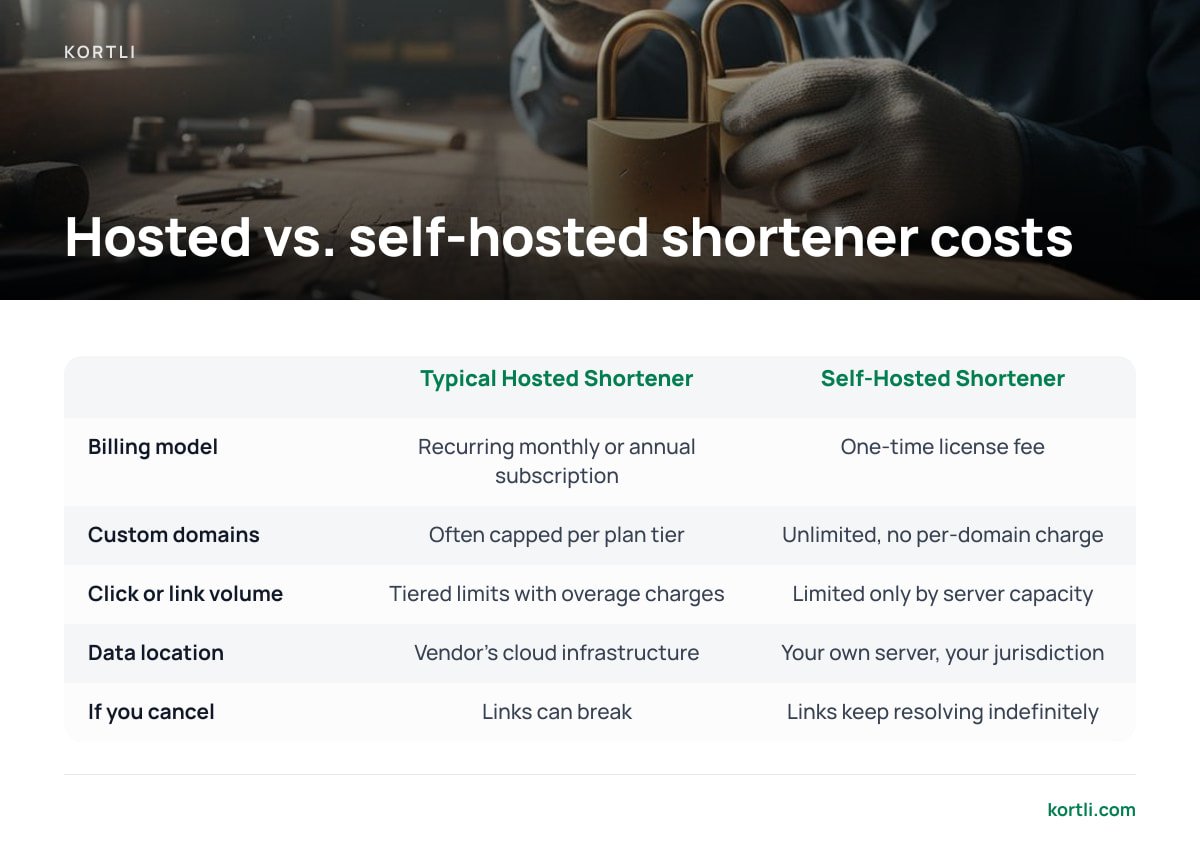
Subscription pricing feels small month to month, which is exactly why it's easy to underweight over a multi-year horizon. The table below isn't about dollar figures specific to any one vendor's current plan — those change — it's about the structural difference in how costs behave.
| Cost Factor | Typical Hosted Shortener | Self-Hosted Shortener |
|---|---|---|
| Billing model | Recurring monthly or annual subscription | One-time license fee |
| Custom domains | Often capped per plan tier, sometimes an added fee | Unlimited, no per-domain charge |
| Click or link volume | Tiered limits with overage charges | Limited only by your server's capacity |
| Data location | Vendor's cloud infrastructure | Your own server, your jurisdiction |
| What happens if you cancel | Links can break, redirect to an error page, or get routed to an upsell screen | Links keep resolving indefinitely |
Cancel a hosted shortener subscription and every short link you ever printed on a flyer, a business card, or a billboard can stop resolving the same day.
That last row is the one businesses underestimate until it happens to them. A short link isn't a feature you're renting for convenience — once it's on a product label or a trade show banner, it's permanent infrastructure, even if your subscription isn't.
Six Things to Check Before You Switch
- Redirect permanence. A 301 redirect is defined as permanent under IETF RFC 7231, and Google's own documentation on redirects confirms that 301s pass link signals in a way 302s don't reliably do. Some hosted shorteners default to 302s you can't change, which quietly undercuts any SEO value your short links were supposed to carry.
A 301 redirect is permanent by definition under RFC 7231 — a 302 is not, and some hosted shorteners default to 302s you can't change.
- Data residency and who sees your click data. If you operate in or sell to the European Union, the General Data Protection Regulation governs where personal data — including IP addresses tied to click logs — can be stored and processed. A vendor hosting your click analytics overseas isn't automatically a violation, but it's a question you should be able to answer, not guess at.
- Custom domain limits. Branded short links matter for trust — people click
yourbrand.co/offermore readily than a generic shortener domain. Check whether domains are capped, metered, or billed separately; this guide to URL shorteners with custom domains covers what to look for in the DNS setup itself. - API access and rate limits. If you're generating links programmatically for campaigns or e-commerce, confirm the API isn't throttled at a rate that breaks your workflow during a launch.
- QR code generation quality. QR codes follow the ISO/IEC 18004 standard for structure and error correction, but styling, logo embedding, and resolution vary widely between tools — this guide on self-hosted QR code generators breaks down what to check before you commit a print run to a QR code from any provider.
- Password protection strength. If you're gating a link behind a password, check that the implementation follows reasonable guidance, such as NIST's digital identity guidelines, rather than a cosmetic password field that any browser's "view source" can bypass. This explainer on password-protecting a URL covers what actually holds up versus what doesn't.
Pro Tip: Before you migrate anything, pull your full link list and sort by last-click date. Most businesses find at least one "dead" campaign link — something from a print ad or an old sponsorship — that's still getting hits a year later. That's the link that does the most damage if it 404s during a switch, so test it first, not last.
Self-Hosted vs. Hosted: Which Bitly Competitor Model Actually Fits You
If you're a solo creator running one campaign a quarter, a free or cheap hosted tier is fine — the volume doesn't justify managing a server. But if you're a business with an active marketing calendar, multiple domains, or links printed on physical materials that outlive any single campaign, the math flips. You're paying recurring fees for infrastructure you could own outright, and you're accepting a vendor's right to change terms, pricing, or feature access at any time.
The honest trade-off: self-hosting means you're responsible for server uptime, security patches, and backups. That's a real cost, just not a monetary one you pay every month. If you have basic comfort with a Linux server — or someone on your team does — the ownership model wins on cost and control within the first year or two. If you don't, and you're not planning to develop that comfort, a hosted competitor is the more honest choice, even with its recurring bill.
Migration Mechanics: Keeping Old Links Alive
The part people fear most about switching isn't cost — it's breaking every link that's already out in the world. The mechanics are simpler than expected: export your existing link list (most hosted shorteners allow a CSV export of short codes and destination URLs), import that list into the new system preserving the same short codes, and point your custom domain's DNS at the new host.
The domain is the piece that actually matters for continuity. If your short links use your own branded domain rather than the vendor's generic one, switching providers doesn't change what people see or click — it just changes what sits behind the redirect. That's the case for owning your domain setup from day one, covered in more detail in this guide to custom domain URL shorteners.
QR Codes, Passwords, and Split Testing: Features Often Gated Behind Higher Tiers

Three features separate a basic shortener from one built for actual marketing use, and hosted competitors frequently lock all three behind their more expensive plans:
- Styled QR codes with embedded logos. A plain black-and-white QR code works, but a branded one gets scanned more because people recognize it as yours before they scan it.
- Password-protected links. Useful for gating a pre-release product page, an internal document, or a limited-time offer to only the people you've actually given the password to.
- A/B split testing on links. Sending half your traffic to one landing page and half to another, under the same short link, tells you which page converts before you commit your whole campaign budget to it.
None of these are exotic. They're standard marketing infrastructure that got turned into upsell levers by hosted vendors because the underlying feature is cheap to build and expensive to withhold.
Own Your Links Without the Monthly Bill
If everything above points to the same conclusion — you want the ownership model, not another subscription — Kortli is a self-hosted link shortener you install once on your own Linux server for a one-time payment instead of a recurring fee. It handles branded custom domains with no per-domain charge, password-protected links, A/B split testing, styled logo-embedded QR codes, and click analytics that stay on your own server instead of a vendor's cloud.
The honest caveat: this isn't a one-click signup. You need a Linux server, basic comfort getting software running on it, and a willingness to be your own uptime manager. If that trade — a bit of setup effort for permanent ownership and no recurring invoice — sounds worse than paying monthly forever, a hosted competitor is still the right call. Check the spec sheet before you decide either way.
Frequently Asked Questions
What is the main difference between Bitly and a self-hosted competitor?
Bitly and most of its direct competitors run your short links on their own servers under a recurring subscription, while a self-hosted competitor runs on a server you control after a one-time setup. The practical difference shows up the moment you cancel: hosted links can break, self-hosted links keep working as long as your server runs.
Will my old short links break if I switch to a different Bitly competitor?
Not if you migrate correctly. Export your existing short codes and destination URLs, import them into the new system with the same codes preserved, and if you're using your own branded domain, just repoint its DNS — the links people already have saved or printed will keep resolving.
Are free Bitly competitors actually free long-term?
Usually not for business use. Free tiers typically cap custom domains, click volume, or analytics history, and businesses that outgrow those caps either pay for a higher tier or absorb the maintenance cost of a self-hosted open-source tool instead.
Does switching shorteners hurt my SEO?
It can, if the new shortener doesn't use permanent 301 redirects the way the old one did — a 302 redirect doesn't pass link signals the same way. Confirm the redirect type before migrating any link that's been shared or linked to externally.
Is a self-hosted shortener harder to maintain than a hosted one?
It requires more upfront technical comfort — you're responsible for the server, backups, and updates — but day-to-day use is no harder than a hosted dashboard. The trade is a bit of setup work now for no recurring bill and no vendor control later.
Sources
- RFC 7231: HTTP/1.1 Semantics and Content | IETF
- 301 Redirects and SEO | Google Search Central
- General Data Protection Regulation | European Union / GDPR.eu
- Digital Identity Guidelines, SP 800-63B | National Institute of Standards and Technology
- ISO/IEC 18004:2015 QR Code Standard | International Organization for Standardization
Leave a Reply