0 extra tools are needed to share a YouTube video: its Share button already gives you a link. If you searched “url shortener youtube,” you want a cleaner address, brand recognition, or click tracking, not a different video destination.
For casual sharing, use YouTube’s `youtu.be` option and move on. For campaigns, print, or repeat promotion, a short URL on your own domain gives you a recognizable label and a redirect you control. The choice is about trust and measurement, not making the video rank higher.
Key Takeaways
YouTube’s Share button already creates a short link.
`youtu.be` and your branded domain are different things.
Use branded links for campaigns, tracking, and long-term control.
Click analytics don’t reveal who watched a video.
Keep custom slugs clear about where they lead.
Do you need a branded short link for YouTube?
Use YouTube’s built-in link for everyday sharing. Choose a branded short domain when your audience needs to recognize your company, when you want consistent campaign tracking, or when you need control over the redirect. A shorter URL alone rarely justifies a paid service or a new setup.
When YouTube’s link is enough
Tap the Share button below a video, then copy the offered link. You’ll often see a `youtu.be` address such as `https://youtu.be/VIDEO_ID`. It’s compact and easy to paste into a chat, post, or email. For a one-off share, that does the job.
A `youtu.be` link belongs to YouTube. It isn’t a link on your company’s domain, and it doesn’t give you the same control over branding or tracking that an owned short domain does. That distinction matters when a link appears on a printed flyer or in a campaign you’ll measure.
When a branded domain earns its place
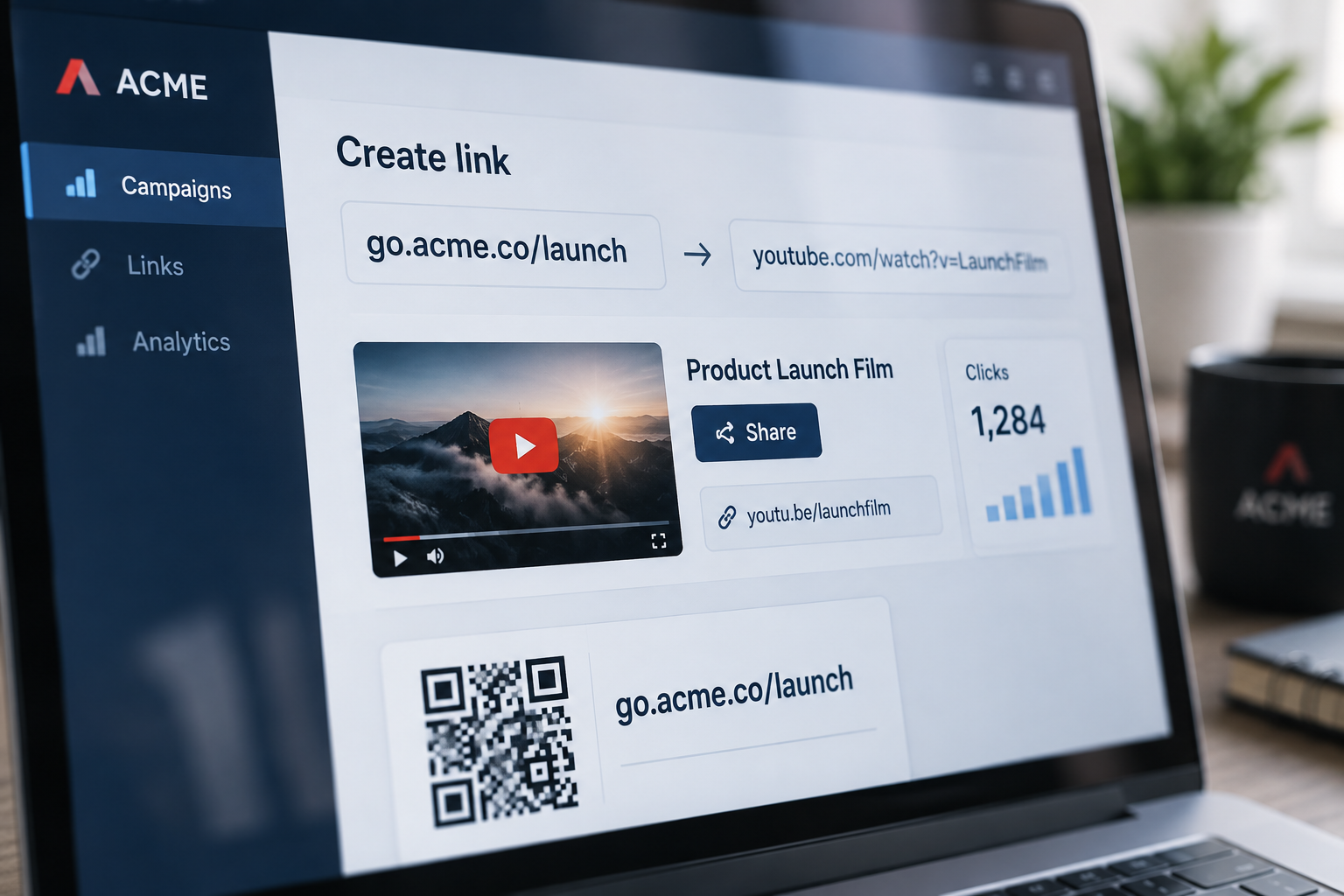
A branded link could look like ` with the redirect sending people to a YouTube video. Use a recognizable domain and descriptive slug so people can tell the link belongs to your business and what it’s for.
That format is useful for repeat campaigns, partner materials, and QR codes. It gives you a stable address to share while letting you update the destination if a video moves or a campaign page changes. The tradeoff is that you’re responsible for the domain, redirects, and link service.
Which YouTube URL should you shorten?
Start with the destination you want people to open, then shorten that exact URL. Video, channel, and playlist links have different URL formats, and removing part of a playlist address can change what visitors see. YouTube’s Share button is a safe starting point when you’re unsure which link to copy.
Video links
A standard video address often looks like `https://www.youtube.com/watch?v=VIDEO_ID`. YouTube may also offer a `youtu.be` link for the same video. Either form can lead to the video; shortening one does not change its YouTube destination.
Link type
Example source URL
What to check
Video
`youtube.com/watch?v=VIDEO_ID`
The correct video opens
Channel
`youtube.com/@CHANNEL`
The handle belongs to the intended channel
Playlist
`youtube.com/playlist?list=PLAYLIST_ID`
The playlist and intended starting point load
The values in these examples are placeholders, not working links. Keep the real URL YouTube gives you, especially when it includes extra parameters for a specific starting point or playlist. A redirect should preserve the destination you selected.
Channel and playlist links
Channel URLs may use a handle, such as `youtube.com/@CHANNEL`, or another channel address. Copy the channel’s current public link rather than guessing at its format. That lowers the chance of sending visitors to an outdated or unrelated page.
A playlist link may include a `list` parameter, and a video inside a playlist may include both a video ID and playlist ID. If you remove either one, visitors may land on the video without the playlist, or the playlist may open at a different point. Test the final redirect before you distribute it.
How do you create a branded YouTube short link?
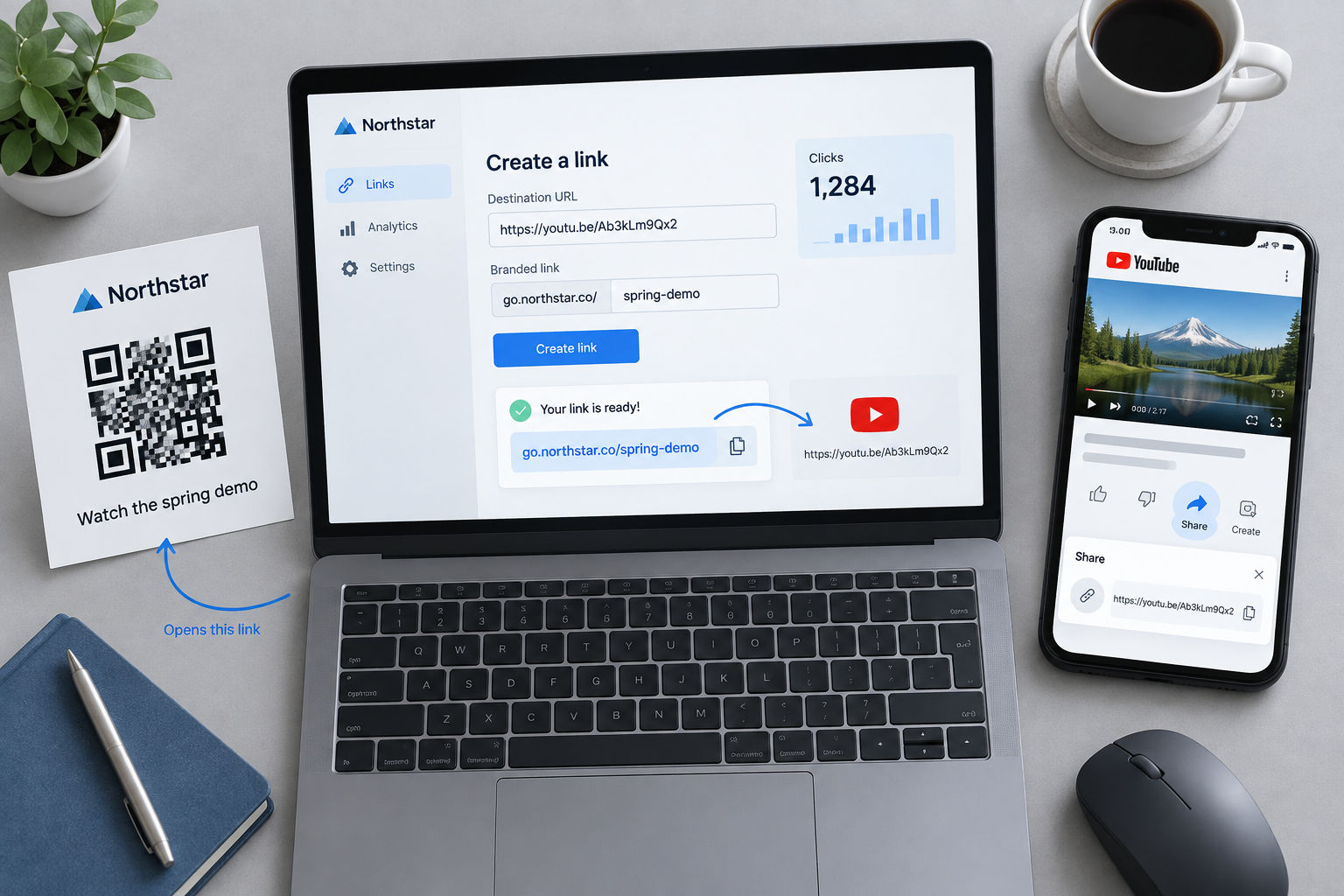
Create the link by pairing a domain you control with the exact YouTube destination, then test the redirect before sharing it. A branded short URL is a redirect, not a new YouTube address. That means the visitor sees your short link first and then arrives at the video, channel, or playlist.
Set up the destination and domain
Use a domain or subdomain your business controls, such as “. It must be configured to point to your link-shortening service. If you use a self-hosted setup, plan for DNS, HTTPS, server updates, and backups as part of the work.
Then create the link in this order:
Copy the video, channel, or playlist URL from YouTube.
Add that full destination to your link manager.
Choose a clear custom slug, such as `product-demo`.
Save the redirect and open the short link in a browser.
Check the destination on a phone before publishing.
The check matters. A link can look right in a dashboard but still point to the wrong video, especially after you paste in a playlist URL or change its parameters. Test the actual short link, not just the long address.
Test before you publish
Open the short link in a private browser window and confirm the intended YouTube page loads. Try it on a phone as well. A link that works on your laptop but fails in a mobile app or browser is still a broken campaign link.
If you plan to measure separate placements, make separate short links for them. For example, use one link for an email and another for a printed card. Don’t reuse one URL everywhere if you need to compare those campaigns later.
How should you choose a custom slug?
Choose a slug that tells people what they’ll open. ` is clearer than ` while a vague or misleading slug can make visitors hesitate. Keep the wording short, recognizable, and accurate to the linked YouTube content.
Write for people, not just for length
Use the video topic, campaign, or channel name when it fits. A slug like `/setup-guide` gives a visitor a useful clue. A slug like `/free-gift` is a poor choice if the link only opens a general product video.
Avoid putting private details in a public slug. Names, email addresses, and account identifiers don’t belong in a URL that could be shared or printed. Also check that the slug doesn’t suggest a different destination from the one behind the redirect.
Keep redirects easy to manage
Before creating a new slug, check your link manager for an existing one. Reusing a word by accident can send the wrong audience to an old destination. A simple naming pattern, such as `/campaign-topic`, makes links easier to find when you manage more than a handful.
For a campaign that runs over several weeks, decide who can edit the destination and when you’ll review it. A link in a social post may be easy to change; a link already printed on packaging is harder to replace. Build the review into your publishing checklist.
What do YouTube link analytics actually show?
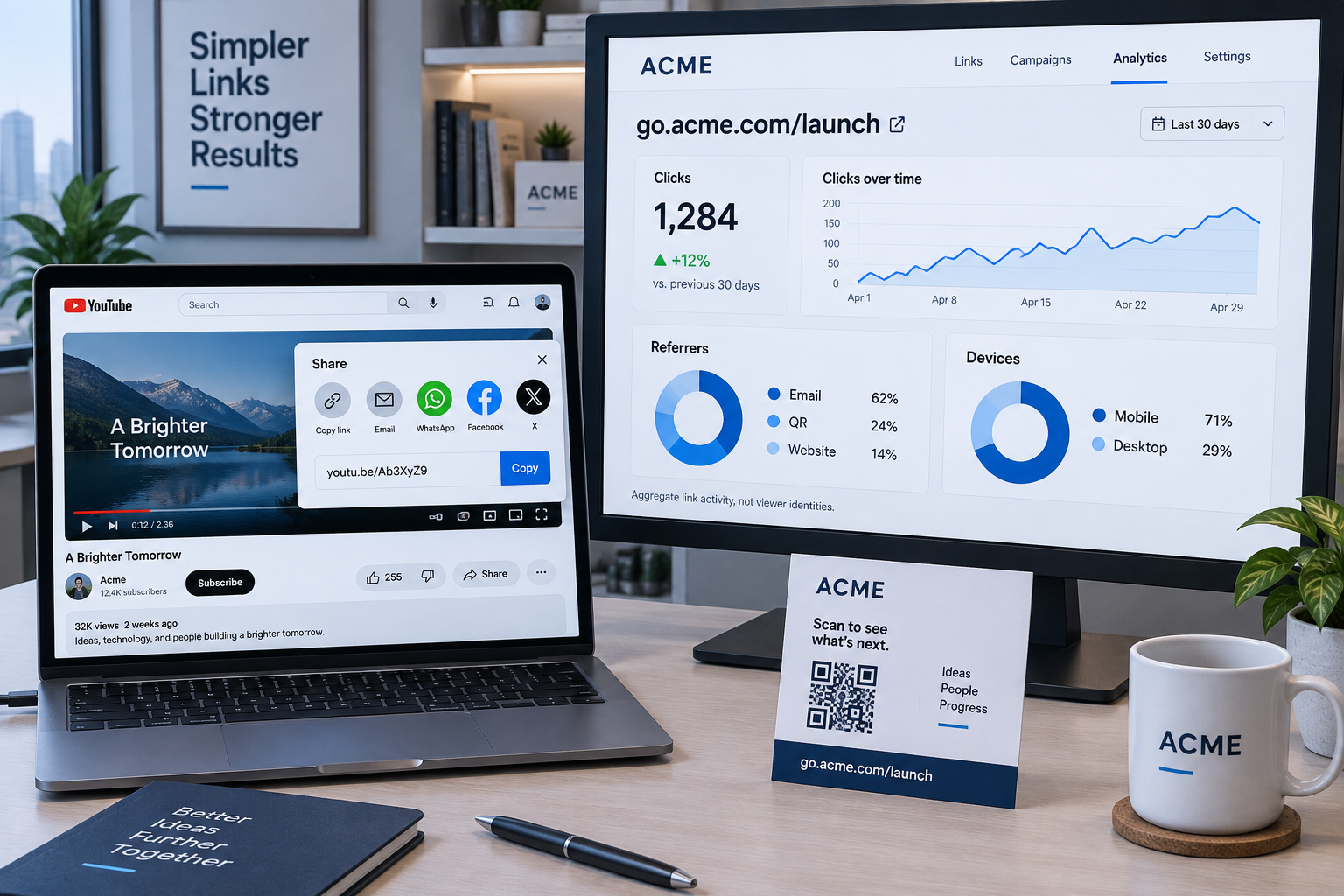
Short-link analytics show activity on the redirect, not the identity of each viewer or proof that someone watched the video. Depending on your tool and settings, you may see click counts, timestamps, referrers, or device details. YouTube’s own analytics measure activity on the video side.
A short-link click records a redirect event; it does not prove that a person watched the video.
Read click data as a campaign signal
Compare links that point to the same video but appear in different places, such as an email and a QR code on a handout. If the email link gets clicks and the handout link does not, that tells you something about those placements. It doesn’t explain why someone clicked or whether they watched.
A click can also come from link previews, automated checks, or repeated visits. Treat counts as a useful signal rather than a perfect count of people. For video views and watch activity, use YouTube’s analytics instead of assuming a short-link dashboard has that information.
Don’t mistake tracking for personal identification
A shortener cannot tell you a viewer’s name just because they clicked. Click data may include technical information about the visit, but it does not identify a person unless you connect it with other data through a separate process. Respect your privacy policy and applicable consent rules.
If you use campaign tags in a destination URL, confirm they survive the redirect and appear where you expect. For example, test a tagged link in a browser before sending it to an email list. Keep reporting focused on the question you need answered, such as which placement brought clicks.
Can you use a branded YouTube link in a QR code?
Yes. A QR code can point to a branded short link that redirects to a YouTube video, channel, or playlist. This gives you a compact code for print and a link you can manage later. Test both the QR scan and the final destination before sending the design to print.
Choose static or editable with care
A QR code that stores a direct YouTube URL is simple, but changing the destination later means replacing the code. If the code points to a branded redirect instead, you can update the redirect destination without changing the printed QR code, as long as the domain and service remain active.
For a poster promoting one video, a direct link may be enough. For a handout that will be used across multiple events, a managed redirect gives you more room to adjust the destination. The added control comes with a responsibility: the domain and redirect service must keep working.
Test the printed experience
Scan the code from the finished artwork, not only from a preview on your screen. Check that the code opens the intended short link and that the redirect reaches the right YouTube page. Leave clear space around the QR code so the printed design doesn’t crowd its edges.
Add a plain-language label near the code, such as “Watch the setup video.” That way, people know what the scan will open. Don’t use a misleading label to boost scans; uncertainty tends to make a QR code easier to ignore.
Should you self-host short links or pay for a service?
Choose self-hosting when you want control over your domain, redirects, and click data and have someone responsible for server upkeep. Choose a hosted service when you prefer another company to manage the infrastructure and accept its ongoing cost and rules. Don’t pay a recurring fee only to turn a long YouTube URL into a short one.
What self-hosting changes
With self-hosted software, you install the link manager on your own Linux server and connect it to a domain you control. You keep the short links under your own domain and manage the service yourself. That can suit a business that already maintains web infrastructure or wants link data in its own environment.
Self-hosting shifts the work to you. You need to keep the server updated, back up the data, maintain HTTPS, and watch for service failures. A broken server can make every short link on that installation fail, including links already printed on materials.
Kortli is one option for teams that want to run link management on their own Linux server with their own domain. Its tools include analytics, password-protected links, A/B testing, editable QR codes, and API and MCP integrations. Pick a setup based on the control you’ll use, not a feature list you’ll never open.
Make the decision by use case
For a single video shared in a group chat, YouTube’s `youtu.be` link is enough. For a campaign with multiple placements, an owned branded link makes comparison and link management easier. For printed materials that may stay in circulation, use a redirect you can maintain and update.
The genuine drawback of owning the setup is ongoing care. Assign someone to renew the domain, apply server updates, and test important redirects. If no one will own those tasks, a hosted option is the more practical choice, even if it costs more over time.
Conclusion
Use YouTube’s Share link for casual posts. For a campaign, printed QR code, or long-running resource, set up a branded domain and test the redirect before it goes live. Keep the slug honest, then decide whether you want to maintain the service yourself or pay someone else to run it.
Frequently Asked Questions
Does shortening a YouTube link improve video rankings?
No. A short link changes the address people click, not the video’s content or ranking signals. It can make a campaign link easier to recognize and track, but it does not replace titles, descriptions, thumbnails, or audience engagement.
Can I change the YouTube video behind a short link later?
Yes, if your short-link service lets you edit the destination. Update the redirect and test it before sharing a new campaign. The short link stays the same, but people who click it afterward will reach the new destination.
Do custom YouTube short links expire?
They don’t have to expire, but they depend on the domain and service staying active. Renew the domain and keep the redirect system running. If a shortener shuts down or your domain lapses, links already shared or printed may stop working.
Can I use a short link for a private YouTube video?
You can redirect to a private video, but the short link does not grant access. Viewers still need permission through YouTube. For an unlisted video, anyone with the destination link may be able to view it, so don’t treat an unlisted URL as private.

Leave a Reply