
A URL shortener with QR codes worth printing.
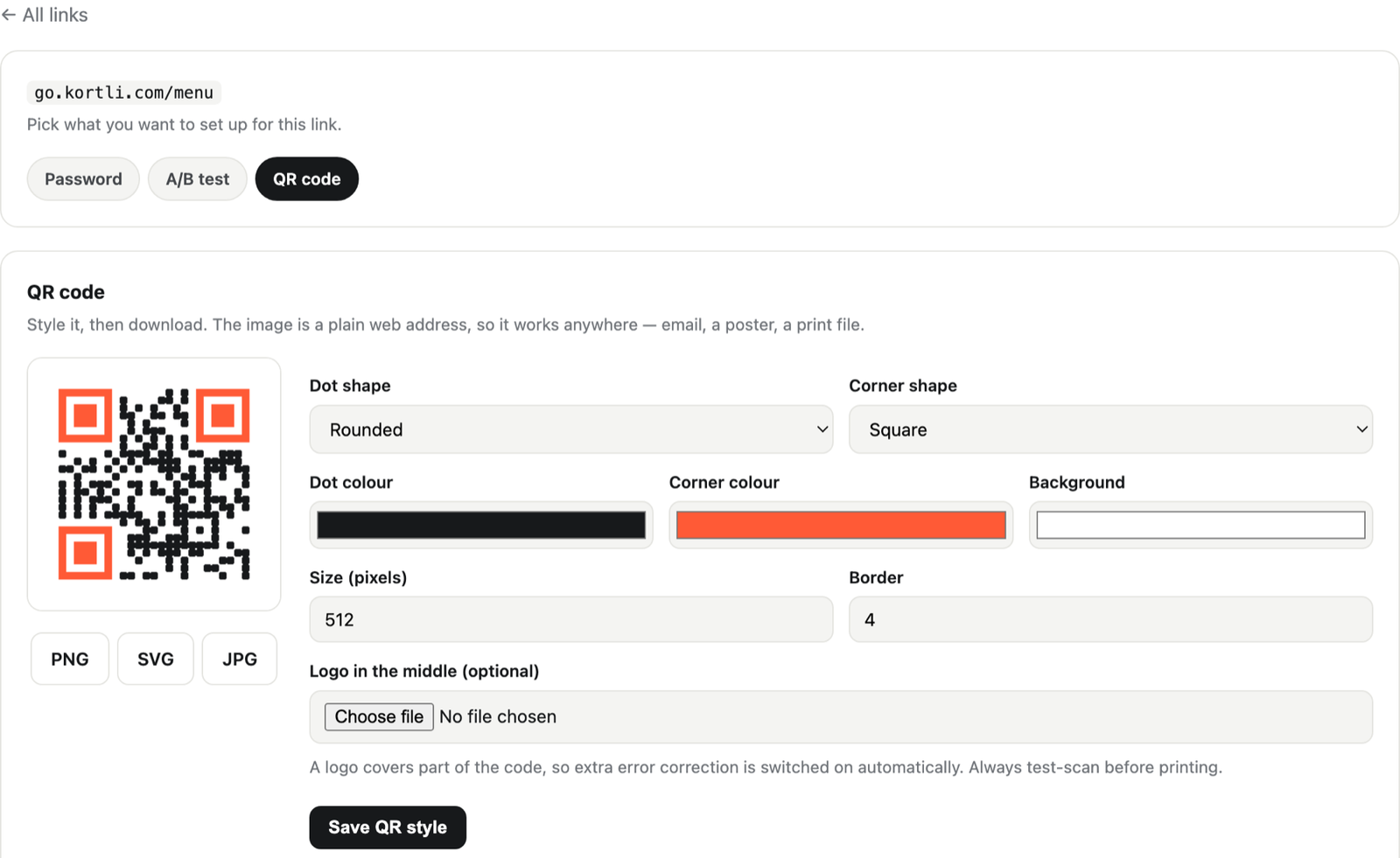
Most people who want a short link want a QR code as well — they are the same job. Kortli does both: your colours, your logo in the middle, real vector artwork, and a destination you can change after the thing is printed.
The reason to put a short link inside the code
A QR code made from your full web address is fixed forever. Point it at a page, print five thousand leaflets, and the day that page moves, every leaflet is wrong and there is nothing you can do about it.
A code built on a short link is a code you can re-aim. The printed square never changes; where it sends people does. Run a summer offer and a winter one from the same poster. Fix a broken link on packaging that shipped last year.
There is a catch worth knowing: this only holds if the short domain stays yours. A code built on somebody else’s shortener is theirs to switch off. That is the whole argument for running a self-hosted URL shortener on your own server.
Made for print, not just for screens
Real vector artwork
Download as SVG and it is sharp at any size — a business card or the side of a van. PNG and JPG are there too, for when a printer asks.
Your logo in the middle
Drop it in and the code is built to survive it. A code with a mark in the middle gets scanned more, because people can see whose it is.
Your colours and shapes
Choose the dot shape and the colours so it looks like it belongs on your material rather than bolted onto the corner of it.
Three things to check before a print run
- Scan it with a cheap phone, not yours. An old camera in poor light is the real test, and it is the one most people skip.
- Keep the quiet margin. A code needs clear space around it. Designers crop it; scanners then fail and nobody knows why.
- Do not go below about 2cm. Smaller than that and ordinary phones struggle, however good the artwork is.
None of this is specific to Kortli. It is just what goes wrong, and it is cheaper to hear it now than after the delivery arrives.
And everything else a short link should do
Counts every scan
A scan is a click. You see how many, and when — recorded on your own server and nowhere else.
Test two landing pages
Send half the scans one way and half the other, from the same printed code, and see which one people actually buy from.
Put a password on it
For a code on a client’s door or inside a box — ask for a password before anyone is sent on.
Questions people ask
Do the QR codes expire or need a subscription?
No. This is the one that catches people out with hosted tools: a “dynamic” QR code usually stops working when the account does. Kortli runs on your server, so a printed code keeps working for as long as you keep the domain — with or without us.
Can I change where a code points after printing?
Yes. The code holds the short link, not the destination. Change the destination whenever you like and every printed copy follows, instantly.
What file will my printer want?
Ask for SVG. It is vector, so it scales to any size without going fuzzy, and every print shop can take it. PNG and JPG are there for screens and for anyone who insists.
Does the logo in the middle stop it scanning?
Not if it is sized sensibly — QR codes carry spare information for exactly this reason. Keep the mark modest, and always test the real file before printing thousands.
Is there a limit on how many codes I can make?
No. There is no monthly fee, so there is nothing to meter — make as many as you like, on as many of your own branded domains as you like.
Talk to a person
Got a print run coming and want to be sure before it goes? Write to us and a person answers — usually the same working day.
Would rather just email? hello@kortli.com. Either way we read every message ourselves, and a person writes back, not a chatbot.
Print it once. Re-aim it forever.
Short links and QR codes in one place. One payment, on your own server.